Assembly line training has always meant slow ramp-up, wasted material, and risk on the floor while new hires learn by doing. VR training for manufacturing changes that equation, and at HQSoftware we’ve built Virtual Reality (VR) and Augmented Reality (AR) training solutions for clients tackling exactly this problem.
So this article is a practical look at what actually works, not a sales pitch. If you’re evaluating immersive training for your floor, here’s what the data says, and where it still falls short.
Why Manufacturing Has a Training Problem, Not Just a Hiring Problem
Manufacturing’s real problem isn’t the number of open jobs. It’s how long it takes a new hire to become fully productive once they’re on the line.
Deloitte and The Manufacturing Institute project the industry could need as many as 3.8 million new workers by 2033. Up to 1.9 million of those jobs could stay unfilled if the skills and applicant gap doesn’t close.
Even when a plant fills every open job, the problem doesn’t disappear. A new hire on a real line may still take weeks to become fully competent, and every one of those weeks costs real money in slower output and more mistakes. Headlines about the manufacturing skills gap focus on the count of open jobs. The number that actually costs money is about how long it takes a new hire to become useful.
That’s the gap VR training for manufacturing is built to close—not the hiring problem, the ramp-up problem underneath it.
Not sure if VR training fits your specific ramp-up problem?
Every plant’s onboarding bottleneck looks different, and VR isn’t the right answer for all of them. We’ll look at your actual numbers first, then tell you honestly if VR makes sense.
Virtual Reality training puts a worker inside a headset-based simulation of their actual workstation, and lets them practice the same sequence as many times as it takes to become proficient, without stopping the real line.
What a VR Training Module Actually Looks Like
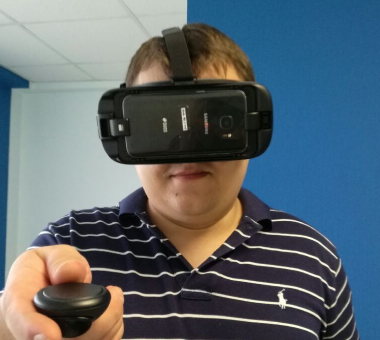
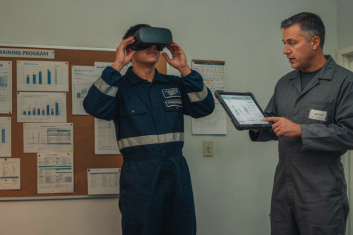
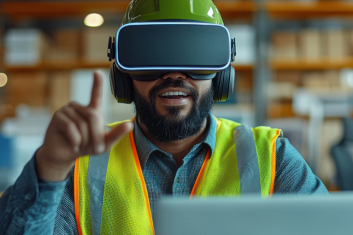
A trainee puts on a headset, usually a Meta Quest or a HoloLens, and steps into a 3D recreation of their workstation. Modules are typically built in Unity, the engine most training studios use for this kind of immersive training.
Hand-tracked controllers let the trainee actually pick up, move, and place virtual parts, not just watch a video play out. Most modules run in two stages: a guided walkthrough first, where “ghost hands” show the correct motion step by step, then a hands-on stage where the trainee repeats the sequence alone and gets corrected in real time if they miss a step.
The simulation walks through the real sequence of steps for a task. The trainee repeats it as many times as needed. No material gets wasted. No line stops. No one gets hurt learning where the pinch points are.
That repeatability is the core value of assembly line training. A trainee can fail safely, again and again, until the motion becomes automatic.
What VR Training Can’t Replace
We’ll be honest and say this upfront: VR training for manufacturing doesn’t replace hands-on floor time.
Tasks that depend on tactile feedback—knowing by feel how much torque feels right, when a part seats correctly—still need real hands on real equipment. A headset can’t replicate the resistance of an actual bolt or the weight of an actual part.
The best programs treat VR as the first stage, not the whole program. Trainees build the motion and sequence in VR, then transfer to the floor for the tactile part, with less time needed there because the sequence is already second nature. Think of VR as change management for muscle memory: it gets the sequence right in the trainee’s head before their hands ever touch the real line.
The Data Behind the Speed Claim
According to PwC, learners who undergo training using Virtual Reality complete the program four times faster than participants in in-person training. The cost curve is just as important as speed. With 375 learners, the cost of VR-based training is comparable to that of in-person training. With 1,950 learners, the costs are comparable to those of eLearning. With fewer learners than these figures, the initial costs of VR are higher. With more learners than these figures, the cost per learner decreases with each subsequent run of the program.
Here it’s important to make an honest observation, and it matters. PwC’s study measured soft-skills training, things like difficult conversations and inclusive behavior, not physical assembly tasks. The mechanism behind the speed gain and repeatable practice in a safe, focused environment transfers to physical tasks. The exact 4x multiplier might not. Manufacturing tasks involve muscle memory and tactile precision that soft-skills scenarios don’t, so treat the 4x figure as a strong directional signal, not a guaranteed outcome for your specific assembly task.
What does transfer cleanly is the underlying logic: immersive learning works because it lets people practice at volume, safely, without the cost of real-world mistakes. That logic holds whether the skill is a conversation or a torque sequence, even if the exact multiplier shifts.
Want to see what these training projects actually looked like?
Numbers only tell part of the story. Our case studies walk through the full setup, the constraints, and what changed once the training went live.
What Does VR Training Look Like in a Real Manufacturing Project?
Here’s what this looks like in two real projects, each proving a different part of the case.
The first: HQSoftware built a VR training Proof of Concept for a US beverage manufacturer, letting line operators practice bottling skills and safety protocols on a simulated shop floor before ever touching the real line.
The client was spending around $200,000 a year training employees on a single process, $12,000 to $15,000 per employee. Training also meant pulling people off the line or stopping production altogether. The PoC showed the company could cut training costs by 73% and cut training time by 2.5 times, without any of that downtime.
The program covered the full sequence, not just one skill: PPE training, video instruction from a real engineer, hands-on bottle-filling practice, and emergency shutdown protocols, each in its own VR room. Three headsets were enough to train a group of up to 40 people a day, at 10 to 20 minutes per session.
The second project shows the other half of the picture: engagement. HQSoftware built VR simulations for occupational training with a client that taught skills such as truck maintenance and electrical fundamentals. Trainees hit an 84% engagement rate, and 67% of what they learned stuck.
What made that one work was an attention to detail that most teams skip. The team modeled hand positioning down to how fingers grip a tool, because that level of realism is what actually builds muscle memory, not just familiarity with the steps.
Together, these projects illustrate the two things that actually matter in assembly line training: it needs to save real training cost and time, and it needs to keep trainees engaged enough to retain what they practiced. One number without the other doesn’t tell the full story.
When VR Training Pays Off — and When It Doesn’t
VR training ROI shows up fastest in high-volume, high-turnover roles. It’s harder to justify for small teams doing highly custom, one-off work.
Situation
VR fit
Why
High number of employees trained annually
High
Higher utilization spreads development cost
Repetitive production process
High
Workers can practice the same sequence repeatedly
High safety risk
High
Mistakes can be practiced without real-world consequences
Frequent onboarding or seasonal hiring
High
Multiple trainees can use the same module
Task requires significant tactile feedback
Medium
VR teaches sequence, but real equipment is still needed
Small, specialized team
Low–Medium
Upfront development cost may be harder to justify
Highly variable or one-off tasks
Low
The training scenario may not repeat enough
The key question isn’t simply how many employees you have. It’s how often the same training scenario repeats. The more frequently a module is reused, the easier it is to spread its upfront development cost across learners.
High-Volume, High-Turnover Roles
This is where VR training earns its cost fastest. Frequent onboarding, repetitive task sequences, and high-stakes safety issues all favor VR, which is why it fits so naturally into manufacturing onboarding at scale.
Seasonal hiring surges represent the clearest case. Picture a food-packaging plant bringing on 50 seasonal workers before the holiday rush. Training them one at a time on the real line would take weeks and pull supervisors away from production the whole time. With VR, all 50 run the same module in parallel, and experienced staff stay focused on the floor instead of babysitting trainees.
New operator ramp-up on any repetitive task also fits well. Think of a bottling line where an operator repeats the same fill-and-cap sequence hundreds of times a shift, as in the case above. The more times a task repeats on the floor, the more value you get from letting someone rehearse it first in VR, safely, as many times as it takes, before a single real bottle is on the line. This is exactly where workforce upskilling through VR pays for itself fastest.
Low-Volume, Highly Variable Roles
Here’s the honest limit. A small team doing highly custom, one-off assemblies is a harder case for VR, and it’s worth knowing this before you calculate VR training ROI for your own floor.
Building a training module costs money upfront: modeling the workstation, scripting the sequence, testing it. That cost only pays for itself once enough trainees run through the module. Picture a five-person team building custom industrial equipment to order, no two jobs alike. Building a VR module for a sequence that might never repeat the same way twice rarely earns back its cost.
If you’re evaluating a vendor, it’s worth asking directly: what’s the break-even headcount for this module? A vendor who’s thought this through should have a rough answer, even if it’s not exact, and that answer tells you a lot about whether VR is the right fit for your specific case.
How to Evaluate a VR Training Program for Your Floor
Content Update Cost
Your line changes constantly: new equipment, new safety protocols, new SKUs, sometimes a shift toward Industry 4.0 automation that changes the whole workstation layout. Ask what it costs to update an existing module versus building a new one from scratch. Some vendors quote a low price for the first module, then charge close to full price for every small update afterward. Get that number in writing before you sign anything, not after your first change request.
Integration With Existing Training Software
Your VR program shouldn’t live on an island. Check whether it connects to your current LMS, so completion records, scores, and time-to-competency data land in the same system you already use to track training. If your plant is also exploring a digital twin of the production line, ask whether the VR module can eventually pull data from it, since a shared model of the workstation saves you from building the same environment twice.
A Measurement Plan
Decide upfront what you’re tracking: time-to-competency, error rate once trainees hit the real line, and retention weeks later. Without these three, you’ll finish a rollout with a good feeling and no way to prove it worked. This is also where time-to-value (TTV) becomes a real number instead of a marketing phrase: how many weeks until the first cohort’s numbers actually beat your baseline training time.
Change Management
Even a well-built VR program fails if floor supervisors don’t buy in, or if trainees don’t take it seriously as real preparation for the job. McKinsey’s research on the World Economic Forum’s lighthouse network backs this up: the manufacturers getting the most out of Industry 4.0 technology are the ones treating adoption as a full operational transformation, not just a new tool rollout, with training and workforce buy-in built into that shift from the start.
Why HQSoftware for Manufacturing VR Training
Choosing a VR training vendor is less about the headset and more about whether the solution fits your actual training workflow. HQSoftware approaches manufacturing VR training as a software development project, not just a 3D simulation.
PoC-first approach. HQSoftware validates the training scenario and business value before a full rollout. One manufacturing VR PoC was developed in three weeks.
Custom production simulations. HQSoftware models actual workstations, equipment, production sequences, and safety procedures around the client’s workflow.
Training ecosystem integration. We connect VR training with existing LMS and training systems, keeping learner data within the broader training workflow.
Outcome-focused development. Our team builds measurable training scenarios around task accuracy, assessment results, completion time, and progress toward competency.
Scalable architecture. HQSoftware designs solutions that can start with one process or workstation and expand to additional training modules and production areas.
Conclusion
VR training won’t fix manufacturing’s hiring numbers. It fixes what happens after someone’s hired: how fast they become genuinely useful on the line, and how much it costs to get them there.
The kind of honesty this article has tried to model matters more than any single number we’ve offered: know what VR can replace and what it can’t, know your break-even headcount before you commit, and measure the result instead of assuming it. That discipline is what separates a VR program that pays for itself from one that just looks impressive in a demo.
If you’re weighing VR training for manufacturing for your own floor, the fastest way to learn if it makes sense for your business is to talk through your specific use case with people who have built these programs before.
Reach out to our team. We’ll walk through your training bottleneck honestly, including telling you if VR isn’t the right fit yet.
A developer with extensive expertise in AR/VR, very ingrained into the topic of Mixed Reality development. Shares his knowledge and the results of many years of work.
Does VR Training Actually Reduce Onboarding Time in Manufacturing?
Yes, in the right setting. PwC found VR-trained learners complete training up to 4 times faster than classroom learners, though that study measured soft skills, not physical assembly. Our own bottling-line project cut training time by 2.5 times, which is closer to what a manufacturing floor can expect.
How Much Does VR Training Cost Compared to Classroom Training?
VR costs more upfront than classroom training. The final cost depends on a few factors: module complexity, how many workstations you need to simulate, how often the content needs updating, and headset costs if you don’t already own a fleet. Whether it’s worth that upfront cost comes down to how many learners run through the module, since VR gets cheaper per learner the more people use it.
What Size Manufacturing Team Is VR Training Suited For?
High-volume, high-turnover teams see the fastest payoff, especially with frequent onboarding or seasonal hiring surges. Small teams doing highly custom, one-off work often don’t hit the learner volume needed to break even on the module cost.
Does VR Training Work for Hands-On, Tactile Assembly Tasks?
It builds the sequence and motion, but not the feel. Tasks depending on tactile feedback, like torque or fit-by-feel, still need real hands on real equipment afterward. The most effective programs use VR to teach the correct sequence first, then move trainees to the real line for the tactile part, which usually takes less time once the motion is already familiar.
How Long Does It Take to Build a VR Training Module?
It varies by complexity, but a working proof of concept can come together in as little as three weeks, based on projects we’ve built. A full production module with multiple training stages, like PPE, hands-on practice, and emergency protocols, typically takes longer, since each stage needs its own testing before it goes in front of trainees.
Can VR Training Replace On-the-Floor Training Entirely?
No, and it shouldn’t try to. VR handles the repeatable, safe-to-fail part of assembly line training, the kind of simulation training that would otherwise cost real material or real downtime to practice. Tactile skills and final competency checks still belong on the real line, with a real supervisor watching.
We are open to seeing your business needs and determining the best solution. Complete this form, and receive a free personalized proposal from your dedicated manager.
Sergei Vardomatski
Founder
We use cookies to analyze traffic, personalize site content, and for social media features. We share this
data with our ad and social media partners. You can change your cookie settings and learn more
here. By browsing the website you consent to our rules.