Augmented Reality (AR) work instructions are changing how manufacturers handle assembly error reduction on the shop floor. McKinsey found that one aerospace manufacturer cut error rates from 3% to nearly zero, while also boosting productivity, after switching to Augmented Reality manufacturing overlays for complex assemblies.
This guide breaks down how AR for manufacturing actually works on the line, where it delivers the strongest gains in manufacturing quality control, and how to pilot it without disrupting production.
Why Are Paper Work Instructions Still Slowing Down the Shop Floor?
Paper work instructions slow down the shop floor because they can’t update in real time and depend on one person’s memory. A binder doesn’t change when a process does. A wall diagram doesn’t know when a senior operator retires.
That gap shows up in three places: rising error rates on complex assemblies, slower ramp-up for new hires, and quality issues caught only after a part has moved downstream.
Digital work instructions solve this by putting the current step where the operator is working, not on a shelf. That’s the core idea behind AR work instructions. How they support shop floor training is covered in the next section.
What AR Work Instructions Actually Do
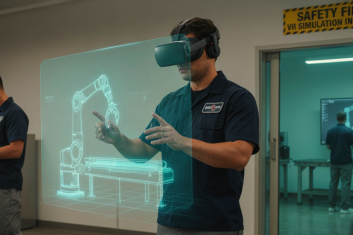
AR work instructions are step-by-step visual instructions displayed directly on the workstation or part, instead of on paper. An operator sees the current step exactly where the work happens, in real time.
How Does the AR Overlay Work on the Assembly Line?
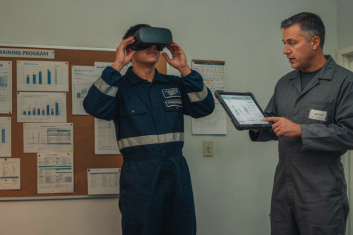
The overlay works by pairing a camera-equipped device with software that recognizes the part or workstation in front of the operator. A smart glass headset like Microsoft HoloLens projects instructions directly into the operator’s field of view, so hands stay free the whole time. A tablet or fixed screen works too, and it’s often the cheaper way to run a first pilot.
Under the hood, this usually runs on ARKit or ARCore for tracking, paired with computer vision to recognize parts and confirm orientation. Some setups tie into a digital twin of the product, so the overlay updates automatically the moment an engineering change goes live, no reprinted binder required.
What Quality Checks Can AR Work Instructions Enforce?
AR work instructions can require a step to be confirmed as correct before the operator moves to the next one. This is sequence validation, and it’s what separates digital work instructions from a screen that just displays static text.
Instead of catching a missed step during final inspection, the system flags it the moment it happens. This directly supports manufacturing quality control and first-pass yield, and gives quality teams a live record of what happened at each station.
Still have questions about how AR work instructions work?
Our team can walk you through the technology and how it would apply to your specific line.
McKinsey documented the clearest evidence for assembly error reduction with AR work instructions in an aerospace manufacturing case. Before the rollout, the company had a reputation for quality but struggled with high labor costs and slow production. Complex assemblies were the biggest source of both problems.
After implementing AR work instructions on those assemblies, error rates dropped from 3% to nearly 0%. Productivity rose from 25% to 30% at the same time.
This is one documented case, not a universal guarantee. The conditions that drove the result matter: complex, multi-step assemblies, high labor costs, and tasks where a memory lapse was the main source of error. A simpler, high-volume line with low-skill tasks is likely to see a smaller gain, because there’s less room for AR to remove.
The mechanism is worth understanding, not just the number. Errors on complex assembly work usually come from inconsistent execution and memory lapses, not a lack of operator skill. AR work instructions remove the guesswork by showing the exact step at the exact moment it’s needed. Remove the guesswork, and you remove a large share of the error.
Implementation quality affects the outcome too. A digital work instruction module that’s rushed, poorly mapped to the actual SOP, or not updated when the process changes will underperform. The gain comes from precision in the instructions, not just from adding a headset to the line.
Where AR Work Instructions Fit Best
AR work instructions deliver the strongest results on complex, high-consequence assembly work and on ramping up new operators faster. Not every line needs them. The return is highest where mistakes are expensive, tasks are complex, or turnover runs high.
Complex, Low-Volume, High-Consequence Assembly
AR work instructions fit best on complex, low-volume assembly where a single mistake is expensive or dangerous. Aerospace, precision equipment, and medical devices are the clearest examples. These environments already run tight standard operating procedures (SOPs), and AR turns a static SOP document into something the operator actively follows step by step, instead of just reading it once.
New-Operator Ramp-Up
AR work instructions cut the time it takes a new hire to reach full competency, because the next step is available the moment it’s needed, without waiting for a senior operator to be free.
This matters more as the labor pool tightens. Deloitte and the Manufacturing Institute project that the US manufacturing sector could need up to 3.8 million new employees by 2033, and as many as 1.9 million of those roles could go unfilled without a change in how manufacturers train people. AR for manufacturing doesn’t fix the applicant gap, but it shortens how long each new hire depends on someone else to be productive.
How HQSoftware Approaches AR Work Instructions
We build AR work-instructions overlays that sit on top of a manufacturer’s existing systems, not in place of them. The goal is to digitize the instruction layer without asking a plant to rip out its ERP or MES.
Our team has already applied this approach to a related use case: across-platform AR app for on-site equipment maintenance, built for a European provider of workforce mobility solutions. The app turns a repair or service procedure into a step-by-step AR guide, so a technician can maintain complex equipment without an expert on-site. The result: 64% faster maintenance and 38% fewer maintenance errors.
The same mechanics apply to assembly work instructions: recognize the equipment or part, overlay the next step, confirm it’s done right before moving on. A typical engagement starts narrow—one workstation, one high-error task—and grows from there, based on what the pilot shows in error rate and ramp-up time.
Want to see more of our AR/VR work?
From equipment maintenance guides to industrial training platforms, we’ve built AR/VR solutions across manufacturing.
AR vs Off-the-Shelf Training Platforms: What to Ask Before You Build
Established off-the-shelf AR platforms exist, and for some manufacturers they’re the right call. They’re faster to deploy, come with a support team, and don’t require your own developers. But they also come with limits that are worth understanding before you commit budget to either path.
Does the platform integrate with your ERP and MES, or will your team run two separate records of what happened on the line?
Some off-the-shelf tools connect cleanly to common systems out of the box. Others need custom middleware, which quietly turns a “buy” decision into a build project anyway. A gap here creates technical debt instead of removing it, and it shows up months later as data nobody trusts.
Can instructions update automatically when engineering changes a part, or does someone rebuild each module by hand?
This matters most for manufacturers with frequent design revisions. A platform built for standardized, repeatable tasks can struggle once your SOPs start moving faster than the platform’s content tools allow. Ask specifically how the vendor handles version control and who’s responsible for keeping instructions current.
Who owns the content once it’s built, and what happens if you switch tools later?
Some platforms store instructions in a proprietary format, so migrating away means rebuilding from scratch. A custom build keeps that content, and the process data behind it, fully in your hands. This is usually the deciding factor for manufacturers in regulated industries, where audit trails and data ownership carry real weight.
What’s the real cost over three years, not just the first one?
Off-the-shelf platforms often look cheaper upfront through per-seat or per-headset licensing. Custom builds cost more initially but scale without recurring license fees per station. Run both numbers past your actual headcount and rollout timeline before deciding.
There’s no universally right answer. A standardized, lower-complexity process on a stable product line is often well served by an off-the-shelf platform. A process with frequent engineering changes, tight ERP integration needs, or regulatory audit requirements usually favors a custom build.
How to Get Started Without Disrupting Production
Don’t roll AR work instructions out line-wide on day one. Pilot first.
Pick one workstation and one task. Choose a task with a known error rate, ideally one where mistakes are costly or hard to catch until later. That gives you a clear baseline and makes the pilot’s results easy to measure.
Build the digital work instructions for that task alone. Rebuild it from your existing SOP, not from scratch. Run it alongside the paper process for a short window, so operators have a fallback while the team works out any rough edges.
Measure two numbers before and after. Track the error rate on that specific task, and the time it takes a new operator to reach full speed. These two metrics tell you whether the pilot actually worked, not just whether people liked using it.
Expand only if the numbers hold up. If the pilot shows a measurable gain, move to the next task or station. If it doesn’t, you’ve spent a few weeks and one workstation’s worth of effort, not a plant-wide rollout.
This staged approach also gives your team room to work through change management questions before scaling: training supervisors, adjusting how quality data gets reviewed, and deciding who owns updating instructions when a process changes.
Conclusion
AR work instructions turn a static SOP into something operators actively follow. The technology works. What decides the outcome is whether the rollout fits your actual line and your actual systems.
HQSoftware has built AR and VR solutions since long before the current wave of enterprise interest, spanning equipment maintenance, industrial training, and now AR for manufacturing work instructions specifically. We know how to connect an AR overlay to existing ERP and MES systems, keep instructions current when engineering changes a part, and scope a pilot that gives you real numbers before you commit to a plant-wide rollout.
If you’re weighing whether AR work instructions fit your line, we’re happy to talk through your specific process and what a pilot would look like.
A developer with extensive expertise in AR/VR, very ingrained into the topic of Mixed Reality development. Shares his knowledge and the results of many years of work.
Yes, on complex assembly tasks. McKinsey documented a case where AR work instructions took an aerospace manufacturer’s error rate from 3% to nearly zero, alongside a productivity gain. Results vary by task complexity and implementation quality, so treat it as a strong case, not a guarantee.
How Much Does It Cost to Implement AR Work Instructions?
Cost depends on scope, hardware, and whether you build custom or use an off-the-shelf platform. A single-workstation pilot is the cheapest way to get a real number for your own process before committing to a plant-wide AR for manufacturing rollout.
What Hardware Do AR Work Instructions Require?
At minimum, a tablet or fixed screen with a camera. This is often the cheapest way to run a pilot, since most plants already have tablets on the floor. For hands-free work, a headset like Microsoft HoloLens adds value on tasks where the operator needs both hands on the part, especially for shop-floor training on complex assemblies where reaching for a tablet between steps slows things down.
Can AR Work Instructions Replace Paper Manuals Entirely?
In most plants, yes, for the tasks covered by the digital work instructions system. A backup paper process for downtime or hardware failure is still good practice during the transition. Tablets run out of battery and networks go down, so a simple fallback protects production.
How Long Does It Take to Build an AR Work Instruction Module?
A single-task pilot module can typically be built and deployed in a few weeks. Scope, number of steps, and whether it ties into a digital twin all affect the timeline. Tasks with unclear or outdated SOPs take longer, since the process needs to be defined first.
Does AR Work Instructions Software Integrate With Existing ERP or MES Systems?
It can, and this is one of the most important questions to ask before choosing a platform. Integration with ERP and MES keeps manufacturing quality control data in one place instead of scattered across systems. Without it, sequence validation and error data end up siloed from the records your quality team relies on.
We are open to seeing your business needs and determining the best solution. Complete this form, and receive a free personalized proposal from your dedicated manager.
Sergei Vardomatski
Founder
We use cookies to analyze traffic, personalize site content, and for social media features. We share this
data with our ad and social media partners. You can change your cookie settings and learn more
here. By browsing the website you consent to our rules.